Choosing the best h100 server manufacturer in China takes more than comparing GPU counts or advertised peak performance. A serious evaluation should examine the complete system: NVIDIA H100 configuration, CPU and memory balance, power delivery, cooling design, firmware support, and service coverage. Jensen Huang, NVIDIA’s founder and CEO, described the H100 as “the world’s most advanced GPU.” That statement captures the platform’s ambition, but it does not identify the best server maker. The chassis matters. So does the support behind it.
For buyers, useful evidence includes configuration documents, compatibility records, burn-in test procedures, and clear warranty terms. Ask how a supplier handles replacement parts and technical issues across your region. Request workload-relevant results, not only headline benchmarks. A dense GPU server can look impressive on paper. Under sustained workloads, airflow, power limits, and operating conditions can change the picture. A spec sheet can still mislead.
This article compares manufacturers through practical criteria rather than unsupported rankings. It considers product engineering, customization, delivery capability, documentation, and after-sales support, while distinguishing verified information from vendor claims. No single supplier will suit every deployment; budget, workload, and service expectations all matter. Some details may remain difficult to verify publicly. That deserves scrutiny, not guesswork. The aim is to help readers identify a capable h100 server manufacturer and ask sharper questions before committing to a system.
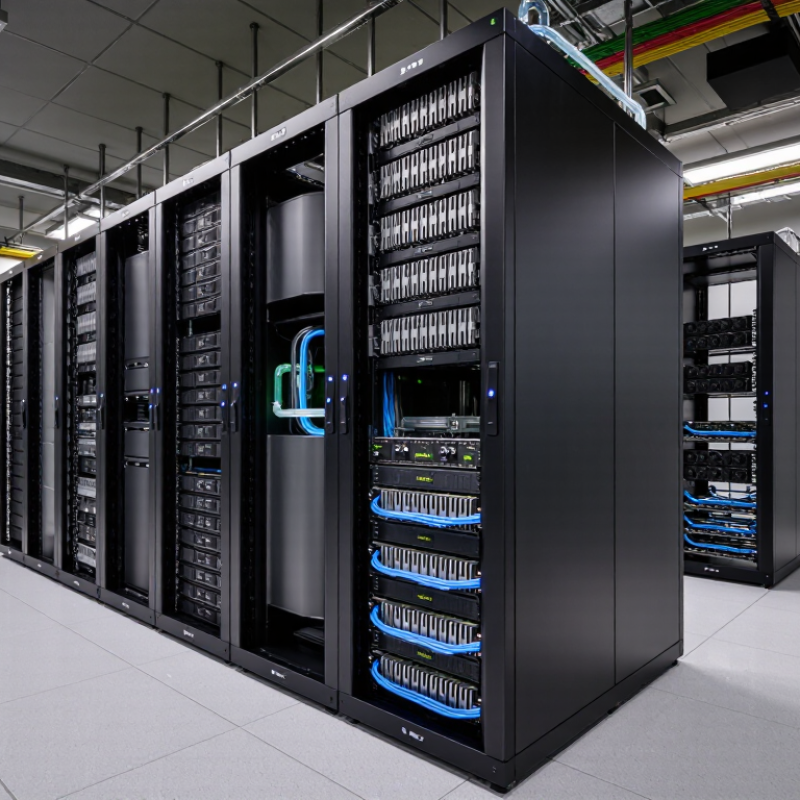
An H100 server’s headline figures are 80 GB of HBM3 memory and 3.35 TB/s of memory bandwidth. These published specifications describe the accelerator, not guaranteed application performance. Bandwidth is a peak rate; real workloads also depend on memory access patterns, software, cooling, and server configuration. Small details matter. A poorly balanced system can leave expensive compute capacity waiting for data.
Capacity deserves equal attention. A 70-billion-parameter model stored in BF16 needs roughly 140 GB for weights alone, before runtime overhead or the KV cache. One 80 GB accelerator therefore cannot hold that full model in this format. Multiple accelerators, quantization, or memory offloading may be required, each with trade-offs. MLCommons’ MLPerf Inference v4.1 results, released in September 2024, report throughput and latency across distinct Server and Offline scenarios. That is a more useful comparison framework than peak bandwidth alone. Ask suppliers for results on the intended model, batch size, precision, and latency target. I would also check sustained performance after the system warms up. I have seen headline numbers hide this gap. It is easy to overlook.
A manufacturer-neutral guide to evaluating H100 servers. The specifications below refer to the H100 SXM configuration where indicated; actual server results depend on the GPU variant, system configuration, workload, and test conditions.
| Evaluation Area | Metric | Reference Value or Method | How to Interpret It |
|---|---|---|---|
| GPU memory | HBM capacity | 80 GB HBM3 per H100 SXM GPU | Check the exact GPU model and usable memory reported by the system; capacity affects model size and batch size. |
| GPU memory | HBM bandwidth | 3.35 TB/s per H100 SXM GPU | This is a peak specification, not a guaranteed application result. Measure workload performance to assess realized memory throughput. |
| GPU compute | Dense FP8 peak throughput | Up to 1,979 TFLOPS per H100 SXM GPU | Compare results using the same precision, software, and sparsity settings. Peak throughput should not be treated as an end-to-end benchmark score. |
| GPU interconnect | NVLink bandwidth | Up to 900 GB/s bidirectional aggregate bandwidth per H100 SXM GPU | Useful for multi-GPU workloads. Verify the server’s GPU topology and test communication performance at the intended GPU count. |
| Power and cooling | GPU power rating | Up to 700 W per H100 SXM GPU | Confirm that the power supply, rack power budget, airflow, and cooling design support the configured GPU count under sustained load. |
| System configuration | GPU count and topology | Record the installed GPU count and interconnect topology for every test | Results from different GPU counts or connectivity layouts are not directly comparable without clear normalization. |
| Compute benchmark | Sustained model throughput | Measure tokens per second or samples per second using a specified model and workload | Report model, precision, batch size, sequence length, software versions, warm-up period, and test duration. |
| Memory benchmark | Achieved HBM bandwidth | Measure with a stated memory-bandwidth test; report the result and test conditions | Compare against the 3.35 TB/s SXM peak as context, while recognizing that real workloads may achieve lower bandwidth. |
| Multi-GPU scaling | Scaling efficiency | Calculate multi-GPU throughput divided by single-GPU throughput multiplied by the GPU count | State the workload and GPU counts used. Lower efficiency can reflect communication, synchronization, or workload limits. |
| Reliability | Sustained-load stability | Run a documented workload continuously and record errors, throttling, and interruptions | Include ambient temperature, power limits, and cooling conditions so results can be reproduced. |
| Fair comparison | Test reproducibility | Use identical workloads, software versions, precision, and measurement procedures | A credible manufacturer comparison should disclose the configuration and measured results rather than rely only on peak specifications. |
They describe peak hardware specifications, not guaranteed application speed. Real results depend on memory access, software, cooling, and server configuration. Peak figures can mislead.
Not in BF16 based on weights alone. Those weights need roughly 140 GB, before runtime overhead and the KV cache. Multiple accelerators, quantization, or offloading may help, each with trade-offs.
Compare results for your intended model, batch size, precision, and latency target. Check both throughput and latency under comparable conditions. Ask whether performance remains steady after the server warms up.
Request burn-in records, failure procedures, spare-parts availability, and written repair targets. Ask how quickly a failed power supply, cable, or accelerator can be replaced. Small faults matter.
Ask for the network layout, port speeds, oversubscription ratio, and sustained multi-server test results. Request collective communication results and temperatures under a fully loaded rack. Paper speeds prove little.
Look for firmware-update instructions, remote diagnostics, escalation contacts, and realistic repair commitments. Ask who handles urgent issues and where replacement parts are kept. I would verify the details in writing.
Include rack space, power, cooling, installation, and replacement parts. Request a bill of materials and written warranty terms. The purchase price is only part of the cost.
Start with a pilot or practical workload test. Measure training speed, inference latency, temperatures, and failures during a realistic run. A supplier unable to arrange an evaluation raises a question, though it is not automatic proof of poor quality.
Choosing the right h100 server manufacturer means looking beyond headline GPU specifications. An H100 configuration can offer 80 GB of HBM3 memory and up to 3.35 TB/s of memory bandwidth, making it suitable for demanding AI training and inference workloads. Buyers should verify that a system supports the intended H100 SXM configuration and can safely accommodate its 700 W power rating, alongside the CPU, memory, storage, and networking required for their applications.
Cooling and power delivery are central to sustained performance: effective airflow or liquid-cooling options, robust power supplies, and careful rack planning help manage the GPU’s thermal load. Reliability also depends on validated components, system testing, network compatibility, and responsive technical support. The best manufacturer is therefore the one whose configurations, service capabilities, deployment options, and total cost match your workload and budget, whether you need a single system for evaluation or a larger-scale cluster.

 Nexa AI Server